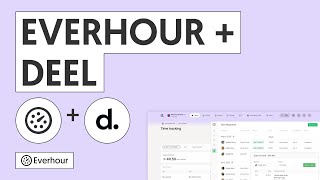
The Everhour browser extension is the single most important piece of the Everhour experience. It lets you track time without leaving the apps your team already works in — and it unlocks controls that aren't available on the website alone.
Installation
The extension is available for Chrome, Firefox, Safari, Opera, and Edge.
- Download from the Everhour extensions page
- After installing, click the Everhour icon in your browser toolbar and sign in with your Everhour account
- Once signed in, the extension activates automatically on all supported tools
Tip: In Chrome, pin the Everhour icon to your toolbar so it's always one click away (click the puzzle icon → pin next to Everhour).
Extension pop-up features
Clicking the Everhour icon opens a pop-up with several tabs:
Time tab
A compact personal timesheet showing all your time entries grouped by day and week, with daily and weekly totals. You can find any task, add time manually, start the timer without a task, or clock in and out.
Report tab
Shows a weekly summary of time by team member with a bar chart of daily totals. Below it you can view and edit tasks where time was tracked.
Timesheet tab
Displays daily time entries for the whole month with monthly totals. Click any cell to see the tasks completed that day.
Search tab
Find any task by title, or select a project first and then pick a task from it.
Timers tab
Shows all currently running timers across the team — useful for admins and supervisors monitoring active work.
Inside your project management tool
Once the extension is installed, Everhour injects time tracking controls into the interface of every supported tool:
- Asana, Trello, ClickUp, Basecamp, Jira, GitHub, Notion, Todoist, and many more
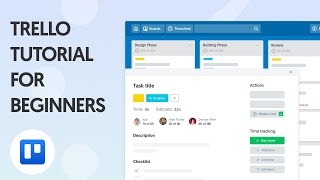
- A timer button and estimate field appear on every task — no setup needed per-project
- Time tracked inside PM tools flows directly into Everhour reports in real time
Desktop app for Mac
Mac users (macOS 13+) can install the Everhour desktop app. It mirrors the browser extension experience and includes the Safari extension bundled in the installer.